
Get Connected - Event Guest
Lions Guest - Event Guest
Lions Guest Network connection will expire after 5 days. After this, you will need to re-enroll your device.
How to Connect:
-
Navigate to the WiFi section of your system settings
-
Join the Network labeled Lions Guest
-
A webpage will open, review the Terms and Conditions, Check the box next to I agree to the Terms & Conditions, should you agree.
-
Select Start
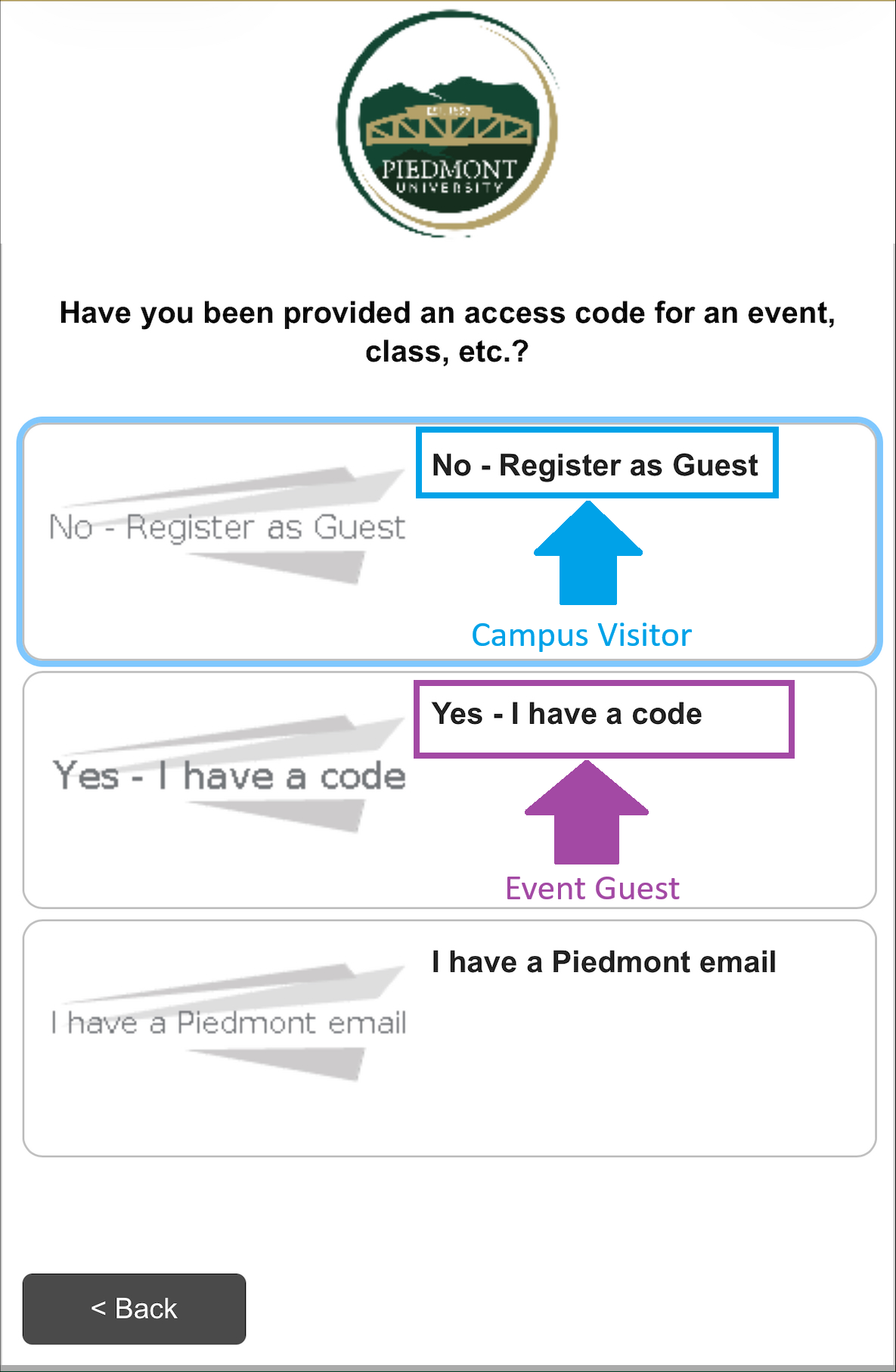
- The next screen will prompt, Have you been provided an access code for an event, class, etc.?
- No - Register as Guest
- Type in the WiFi password you were given in the Voucher field and select Continue
- You will now be connected to Lions Guest
- Yes - I have a code
- Proceed to step 6
- I have a Piedmont Email
- Proceed to Section 3 - Connecting to the Lions Network
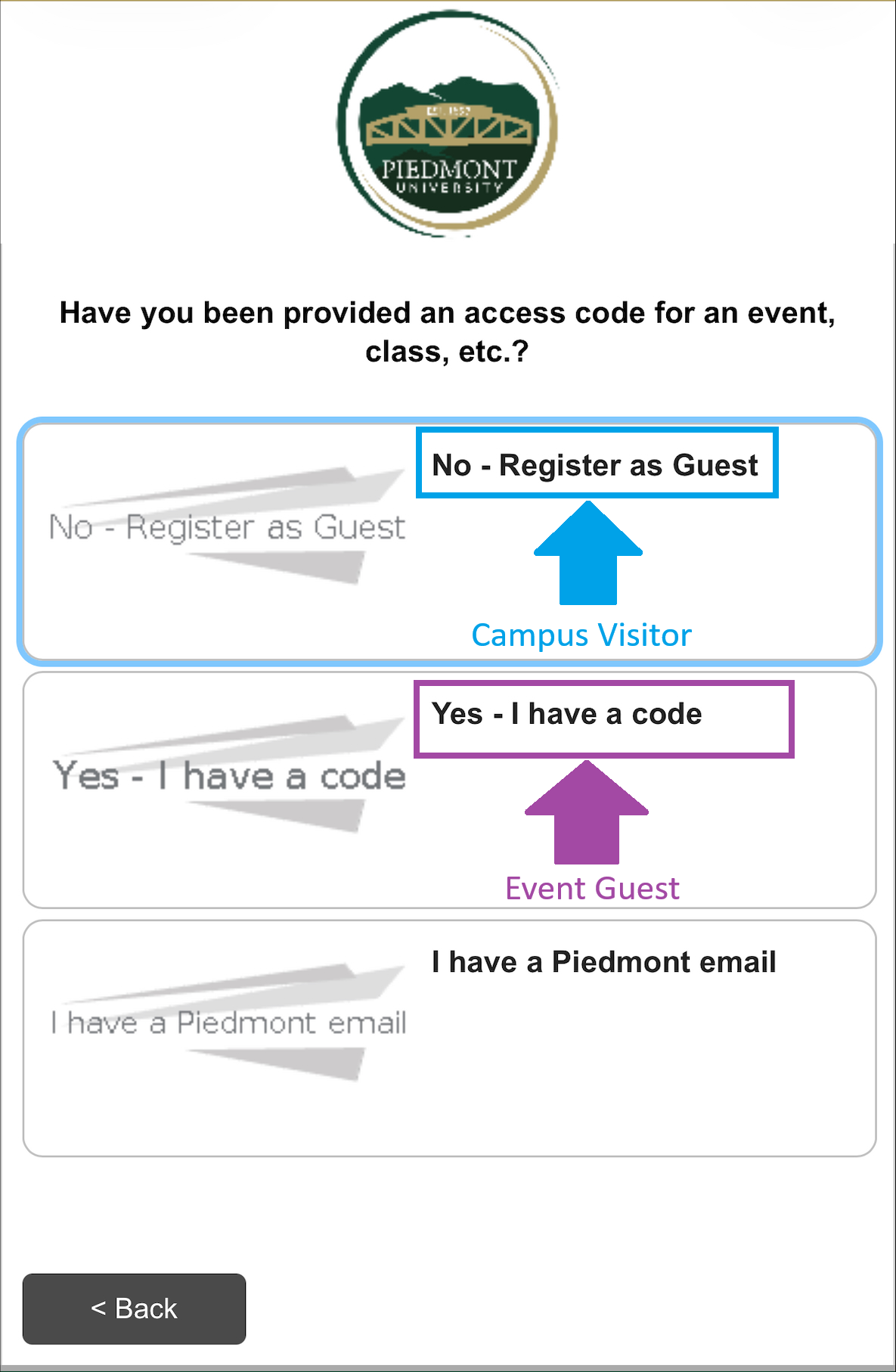
- Proceed to Section 3 - Connecting to the Lions Network
- No - Register as Guest
-
Enter an email address or Phone number where you will receive a security code.
-
After entering your information, please solve the Captcha
-
Select Send
Should you leave the webpage, copy the Wireless Verification Code sent to your email or text message, Rejoin the Lions Guest network and select I already have a verification code.
-
Enter your Wireless Verification Code, solve the Captcha, and select Continue
-
You will now be connected to Lions Guest
Please review the recommended WiFi settings to disable 'MAC Randomization' after completing these steps.
How to disable MAC Randomization
No comments to display
No comments to display