
Manage Printer Address Book
1. Add new user to Address Book
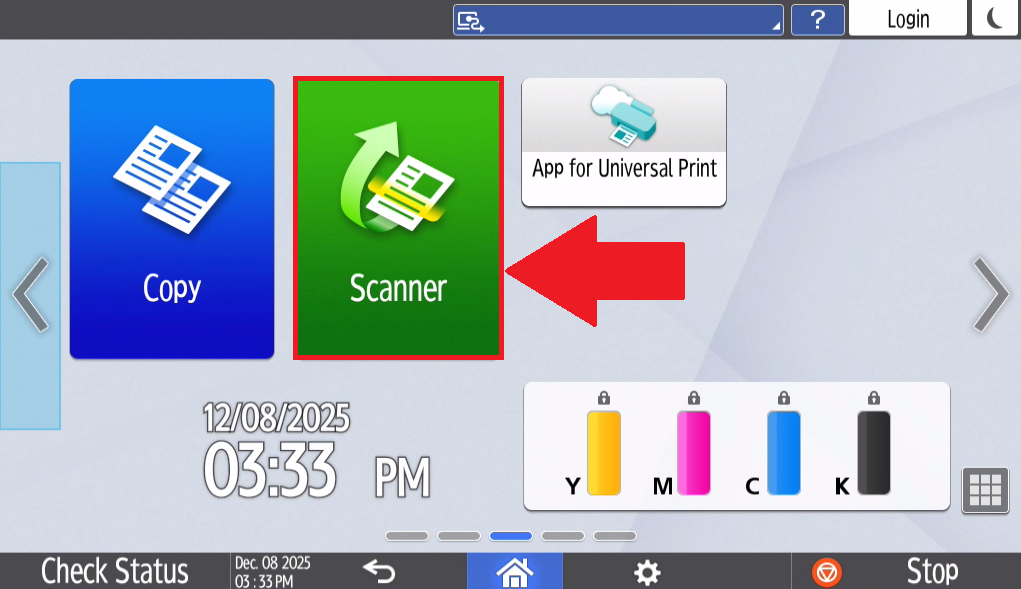
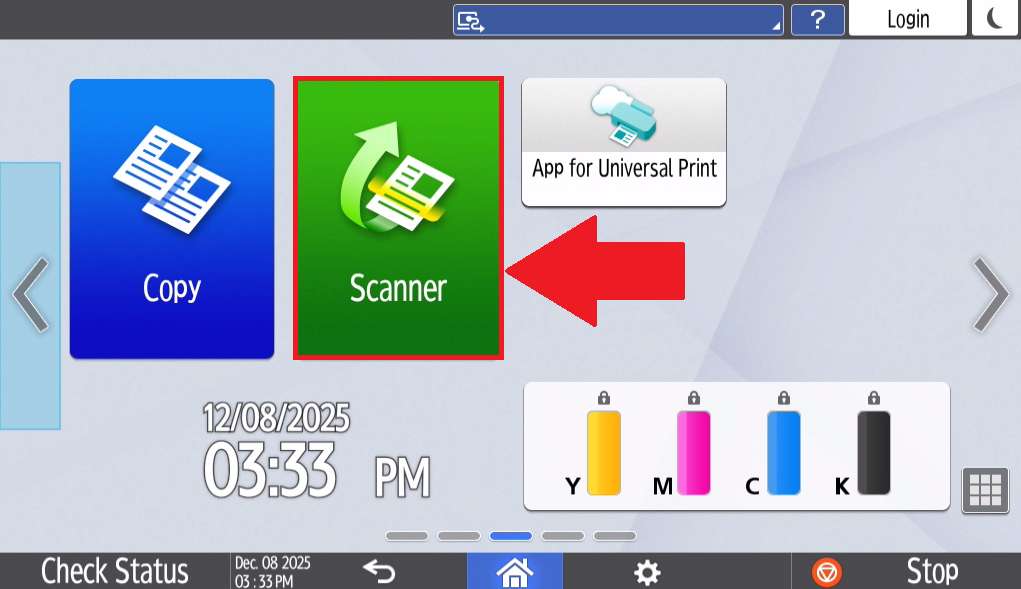
- Select Scanner on the home page of the printer's touchscreen tablet.
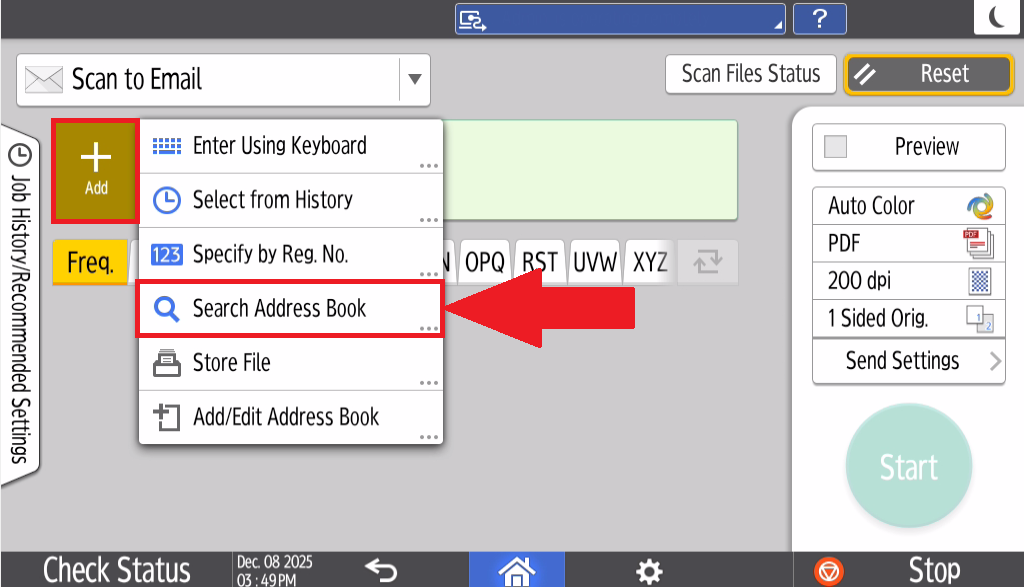
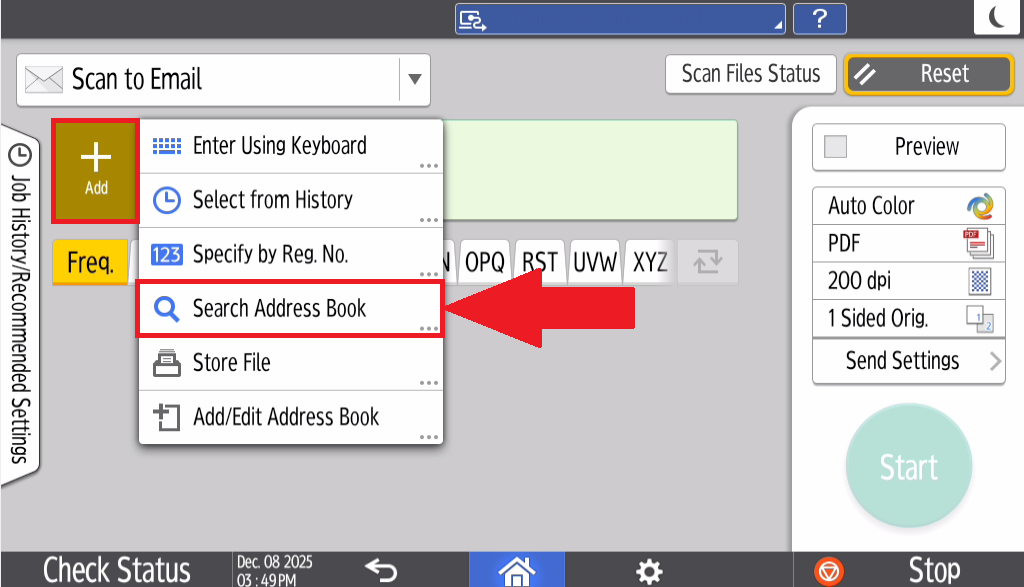
- Select Add and select Search Address Book
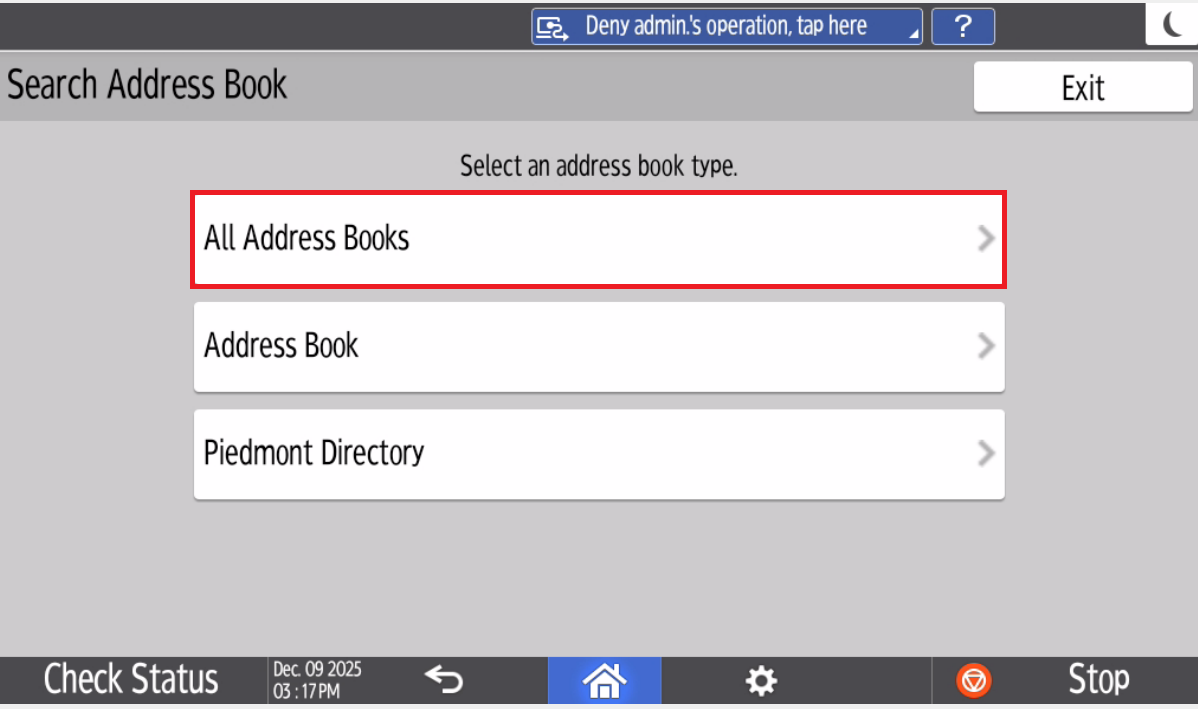
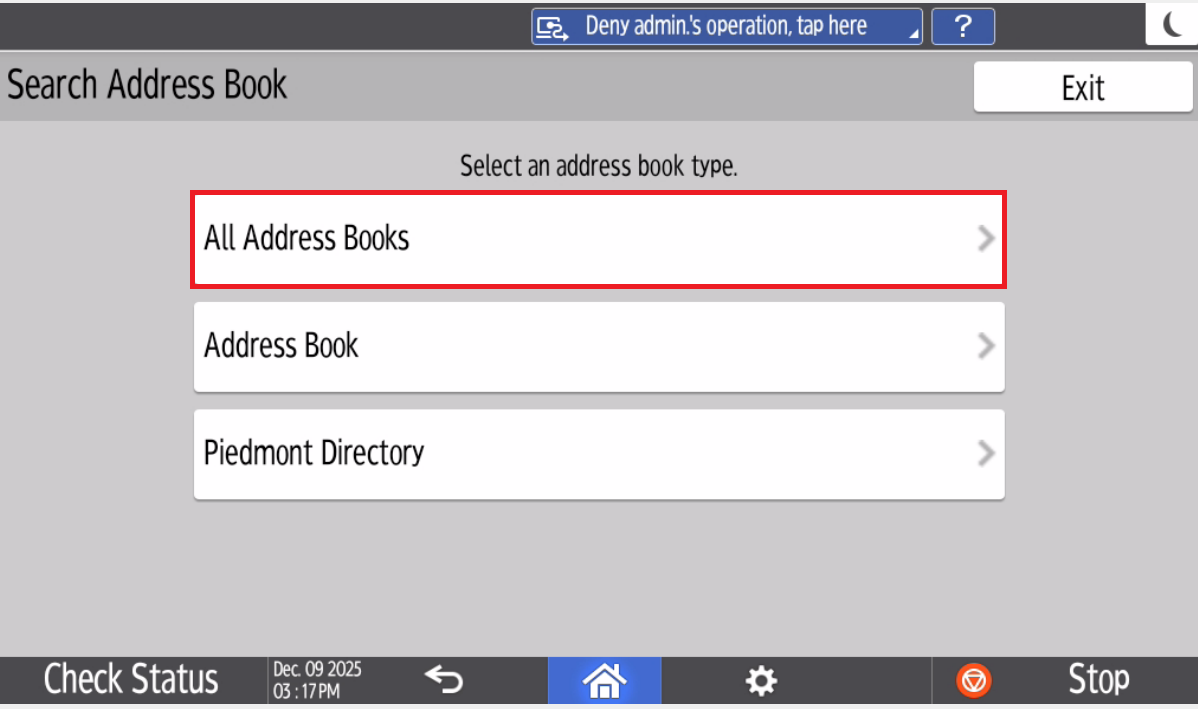
- Select All Address Books
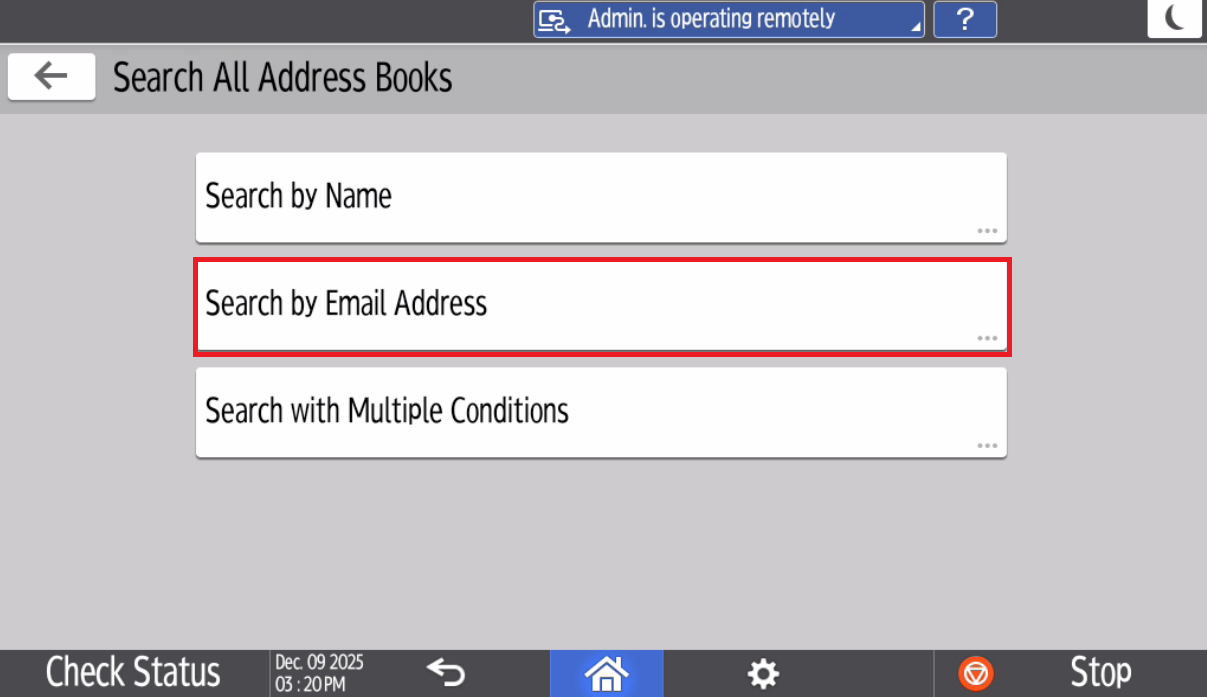
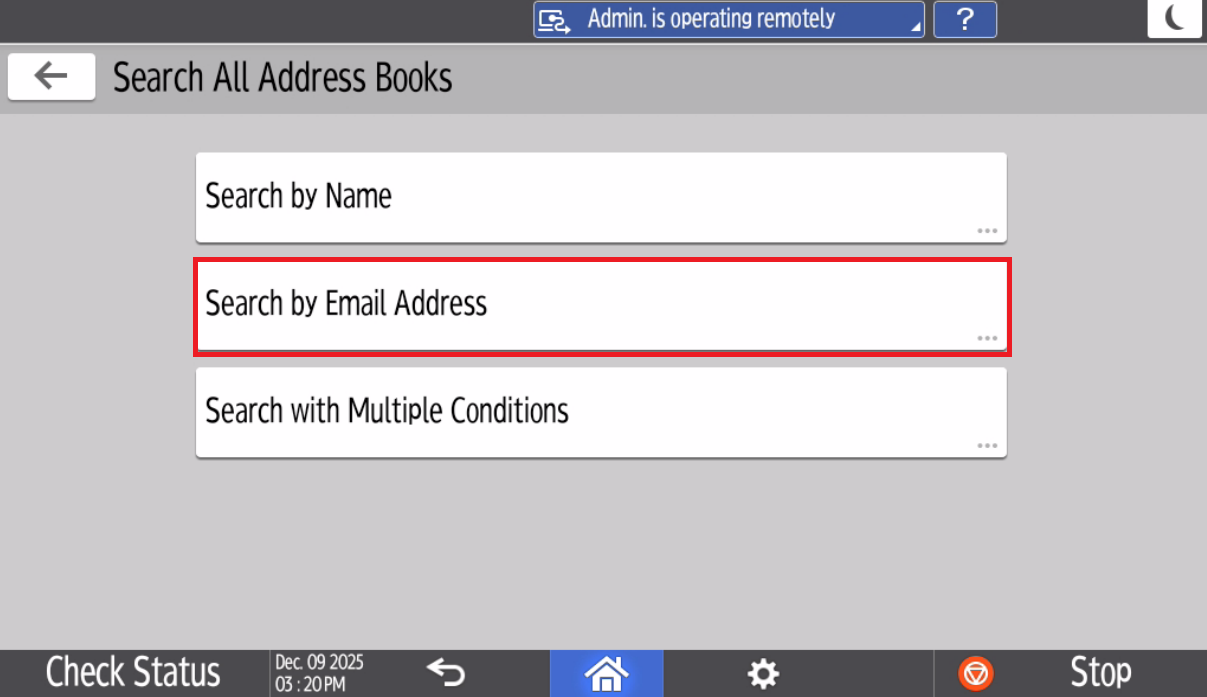
- Select Search by Email Address
- Type in your Email address and select Search
- The Printer will take a moment to search for the email address.
- Select your email Address and Select Add
- Your Piedmont account is now added to the Printer's Address Book
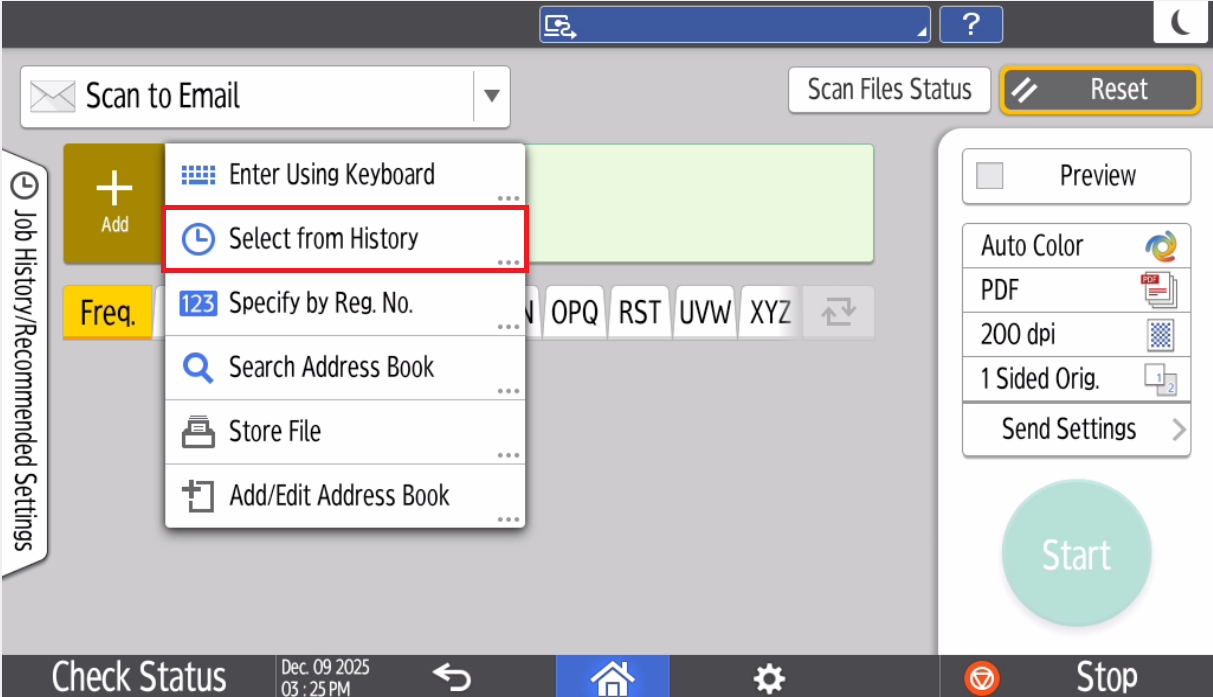
Once you've addedcompleted yourselfyour tofirst the address book,scan, You can select Select from History
to quickly scan to your email.
💬 Department Contact Info
For any issues or questions regarding Printing, please contact IT support
📞 (706) 778-3000
✉️ ITHelpdesk@piedmont.edu
🔗https://ellucian.service-now.com/