
Manage Printer Address Book
1. Add new user to Address Book
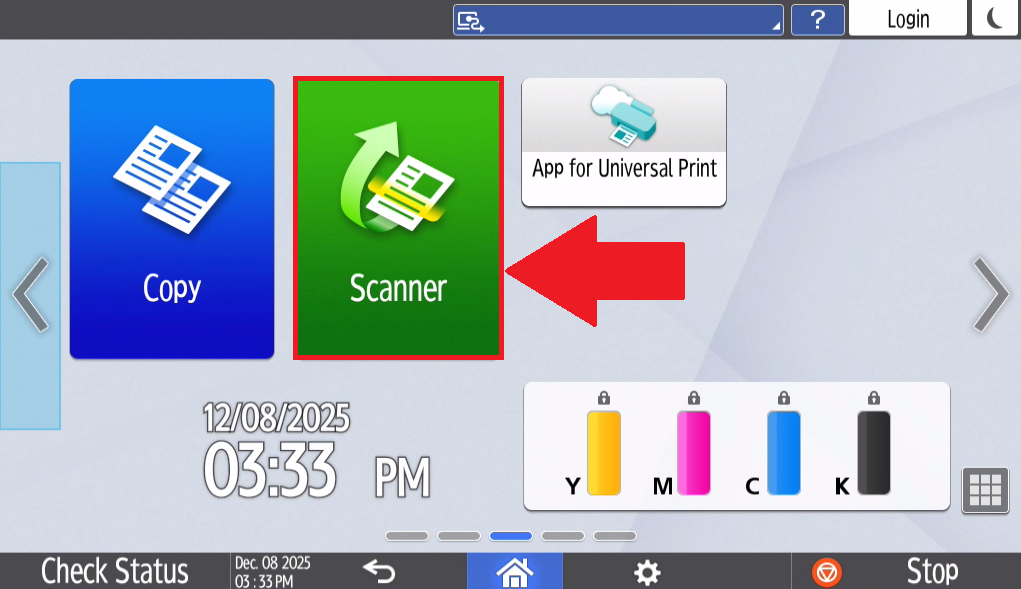
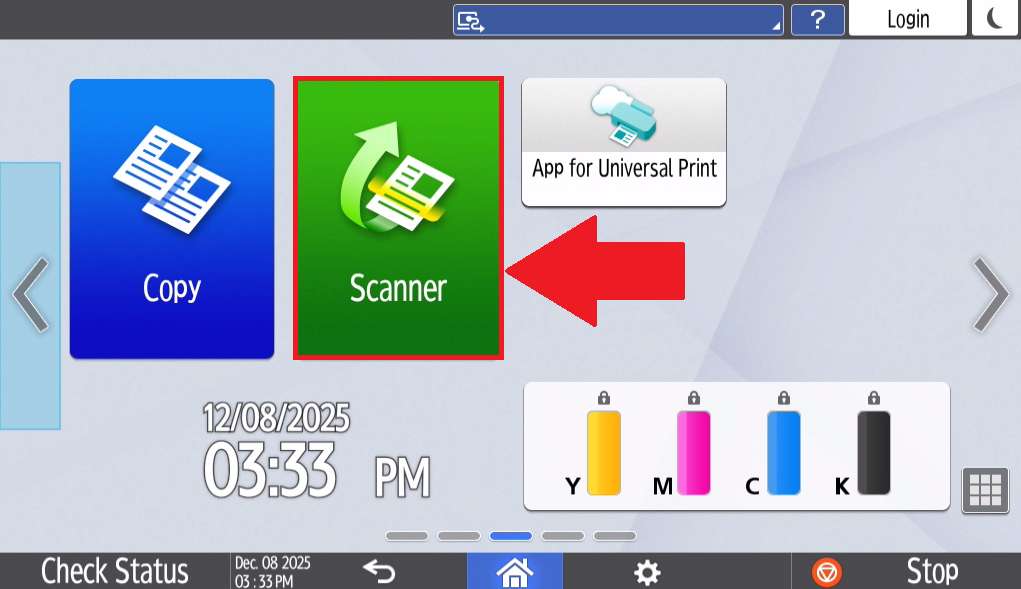
- Select Scanner on the home page of the printer's touchscreen tablet.
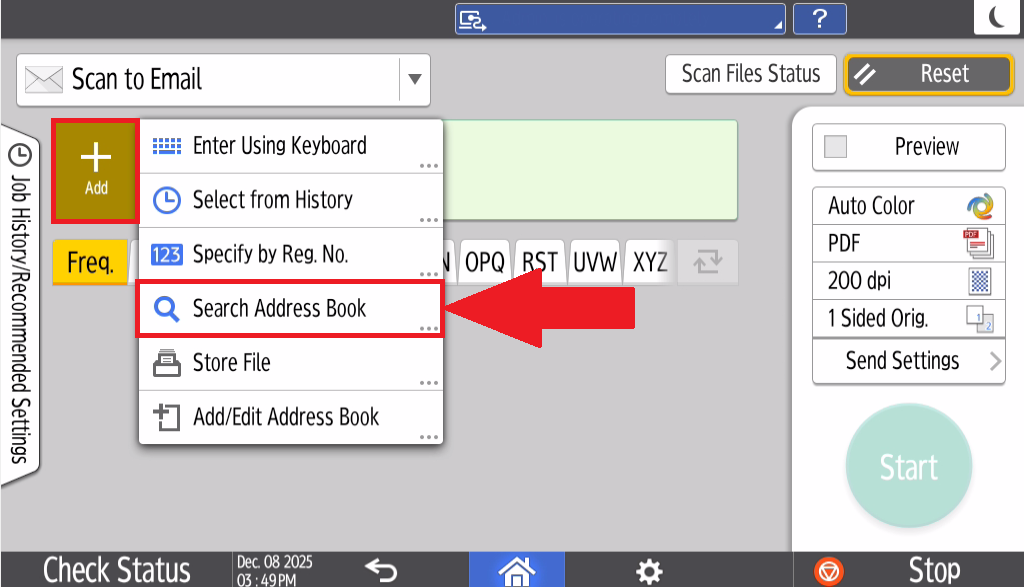
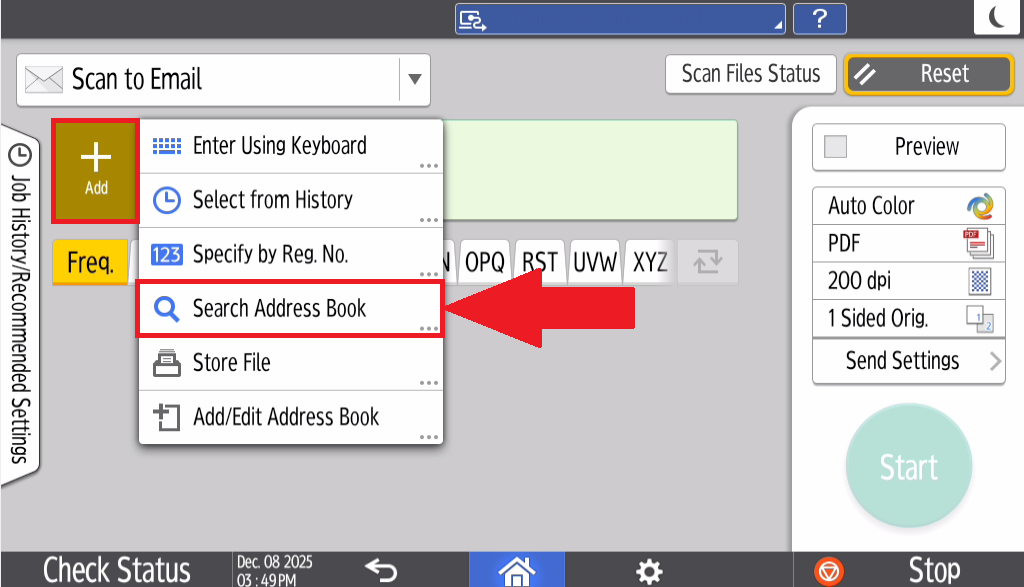
- Select Add and select Search Address Book
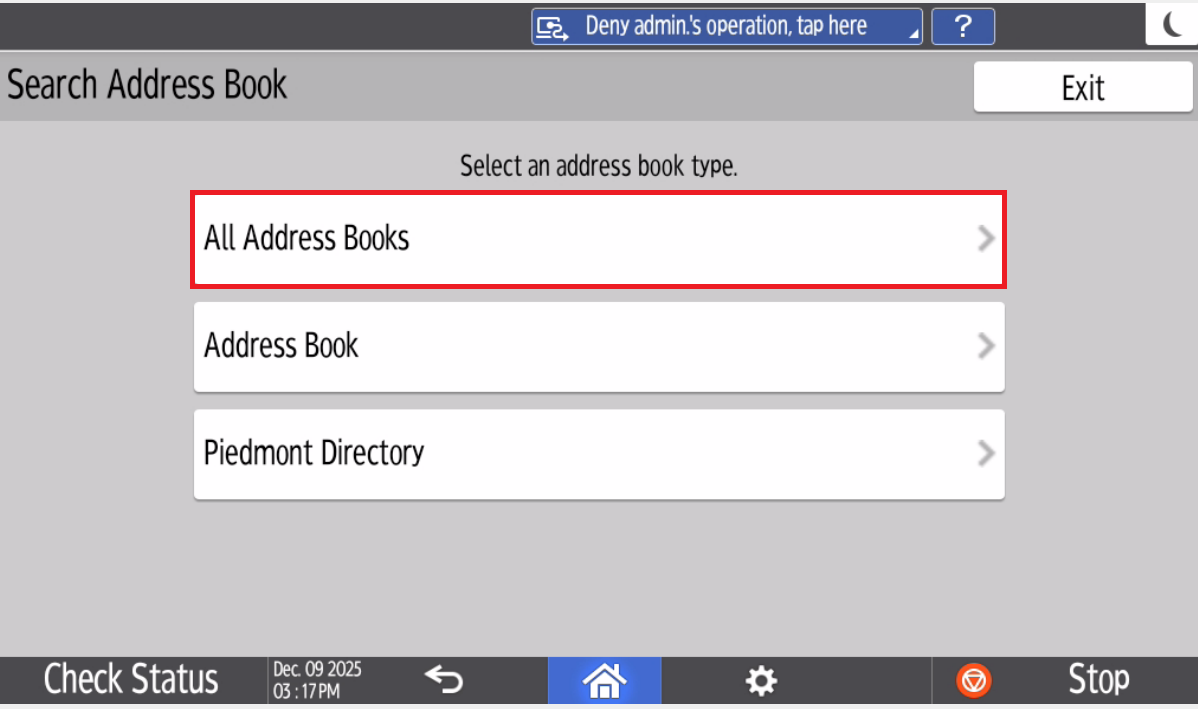
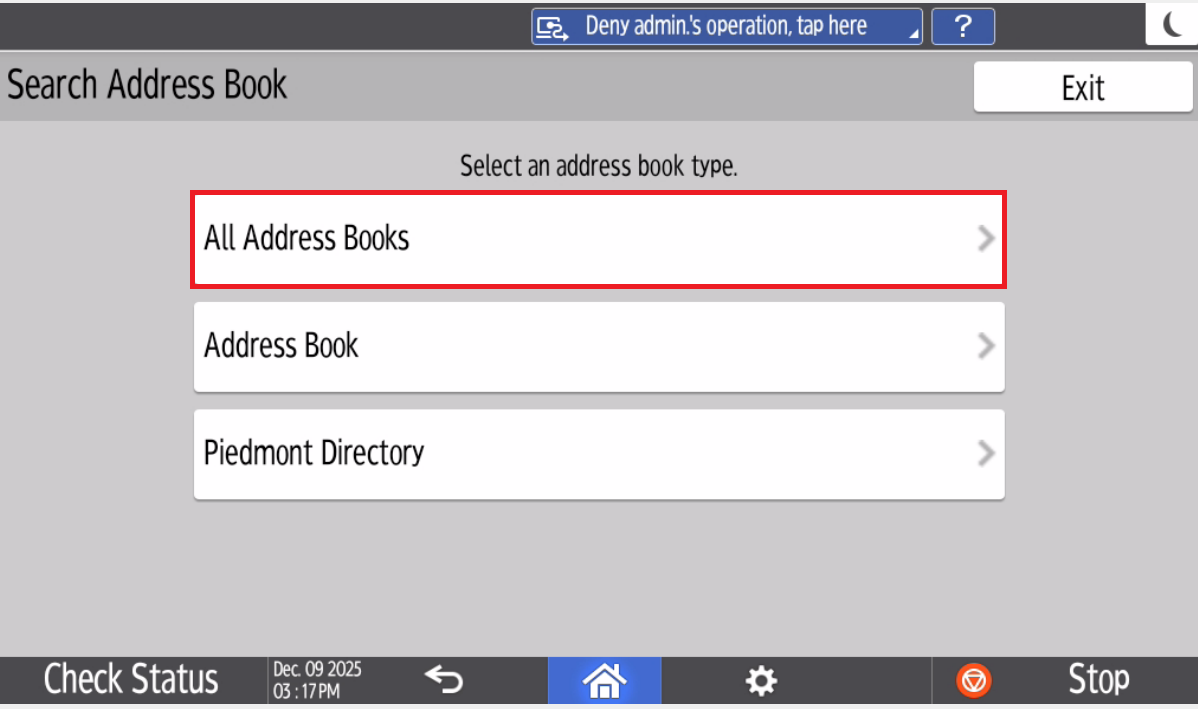
- Select All Address Books
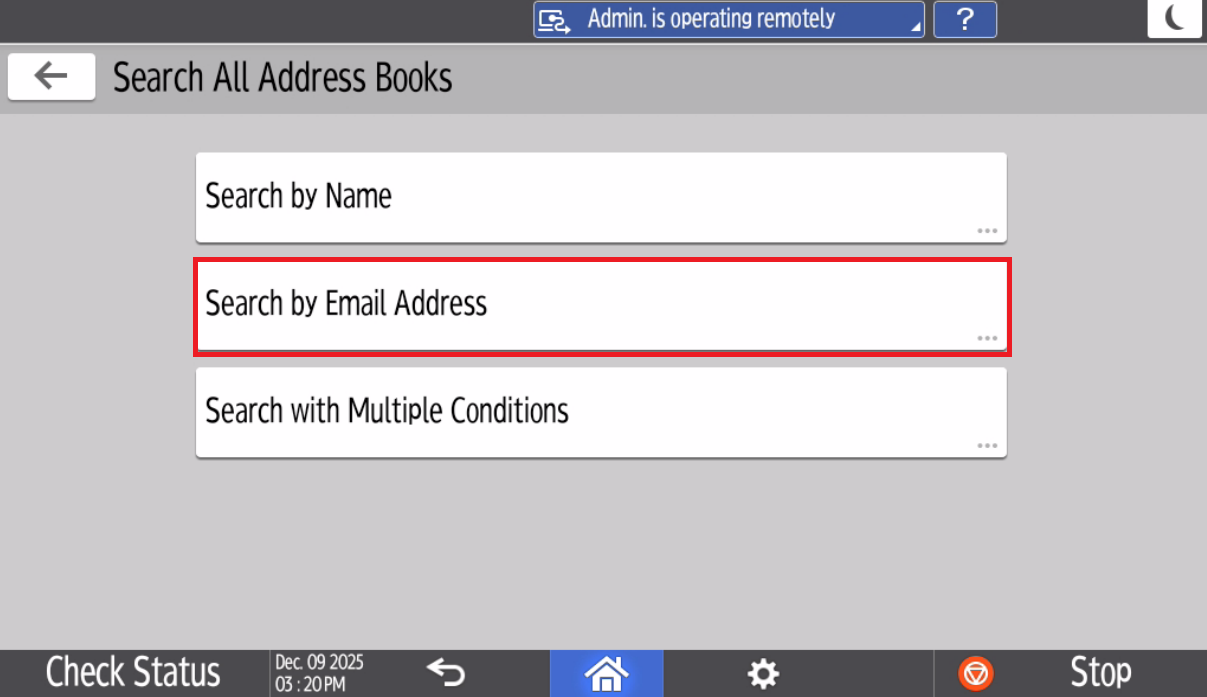 Type in your Email address and select Search
The Printer will take a moment to search for the email address.
Select your email Address and Select Add
Your Piedmont account is now added to the Printer's Address Book
Once you've added yourself to the address book, You can select Select from History
Type in your Email address and select Search
The Printer will take a moment to search for the email address.
Select your email Address and Select Add
Your Piedmont account is now added to the Printer's Address Book
Once you've added yourself to the address book, You can select Select from History 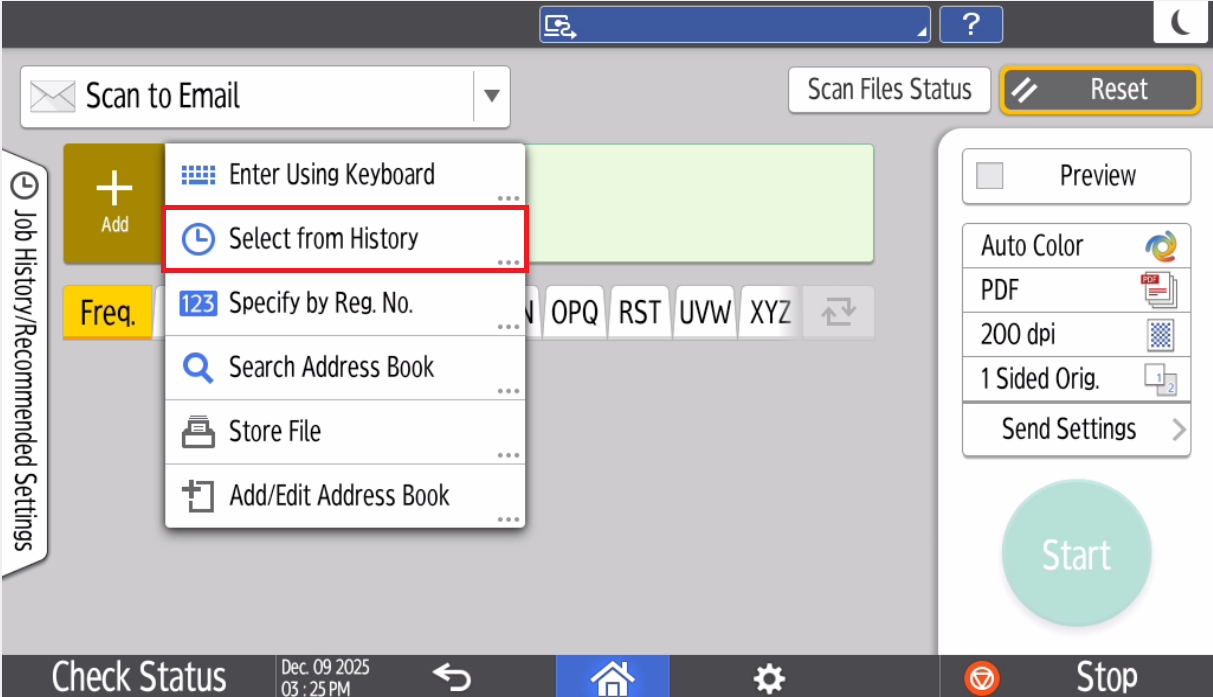
2. Section Header/Title
- Begin Instructions
- Lorem ipsum dolor sit amet, consectetur adipiscing elit.
- Sed do eiusmod tempor incididunt ut labore et dolore magna aliqua.
- Ut enim ad minim veniam, quis nostrud exercitation ullamco laboris nisi ut aliquip ex ea commodo consequat.
- Duis aute irure dolor in reprehenderit in voluptate velit esse cillum dolore eu fugiat nulla pariatur.
- Ut enim ad minim veniam, quis nostrud exercitation ullamco laboris nisi ut aliquip ex ea commodo consequat.
- Excepteur sint occaecat cupidatat non proident, sunt in culpa qui officia deserunt mollit anim id est laborum.
💬 Department Contact Info
For any issues or questions regarding the [Insert Issue], please [Department] support
📞 (706) 778-3000
✉️ Department@piedmont.edu
🔗 https://www.Piedmont.edu