# Outlook Mobile App
## Outlook Mobile App
1. Open the Suspicious email in the **Outlook Mobile app.**
2. Tap the **three dots (...)** while viewing the message. This is typically underneath the timestamp in the top-right corner.[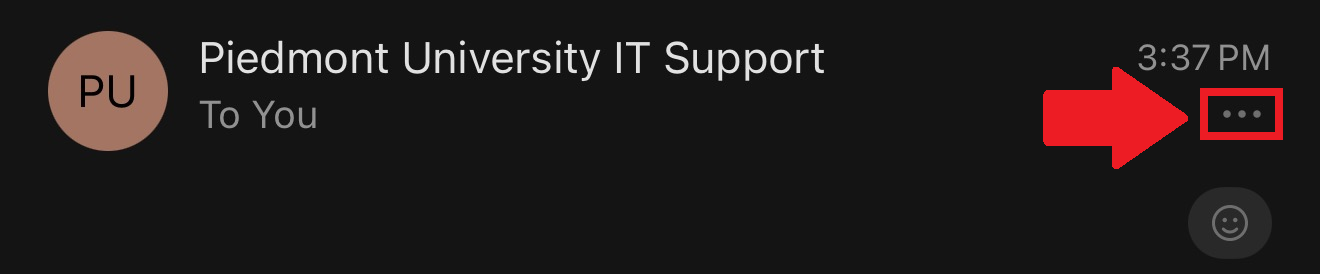](https://wiki.piedmont.edu/uploads/images/gallery/2026-10/KAKt4MaHpv2VWQsy-image.png)
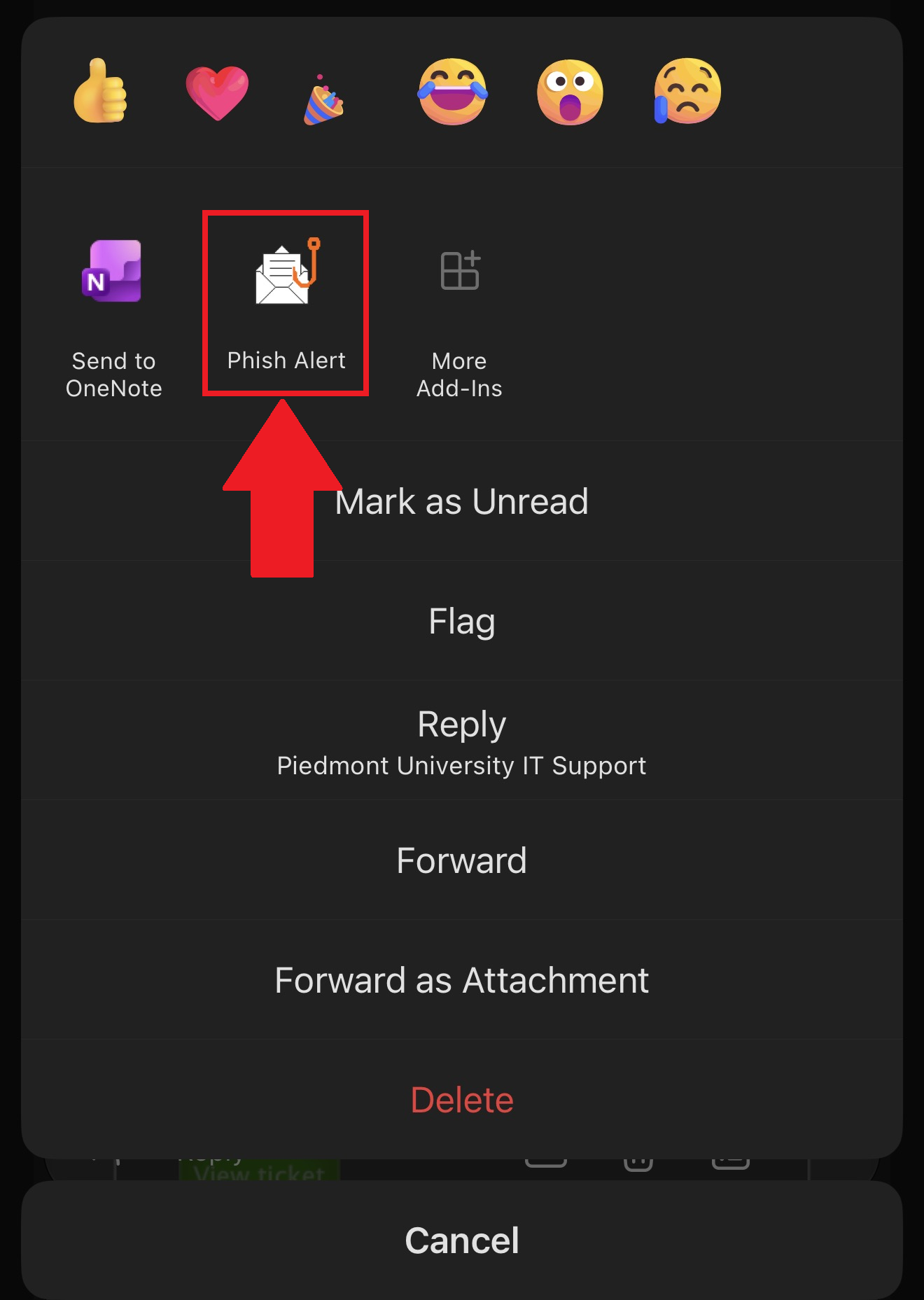
3. Select the **Phish Alert** button to report the email as Phishing! The IT Department will now investigate the email!
[](https://wiki.piedmont.edu/uploads/images/gallery/2026-10/J1ojPpvLoOCnUspf-image.png)
---
## **Need Help?**
If you encounter an error or need assistance with this guide, please contact the IT Department and include a screenshot with a brief description of the issue.
[**Contact the IT Department Here**](https://wiki.piedmont.edu/books/student-resources/chapter/contact-it "Contact IT!")