Outlook Mobile App
Outlook Mobile App
- Open the Suspicious email in the Outlook Mobile app.
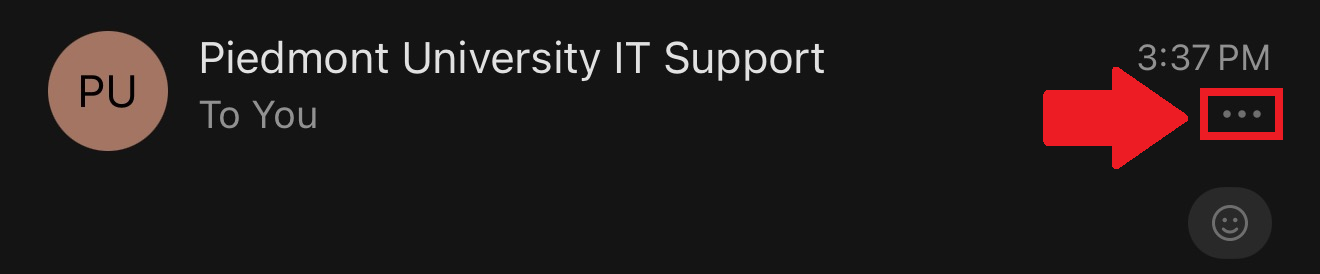
- Tap the three dots (...) while viewing the message. This is typically underneath the timestamp in the top-right corner.

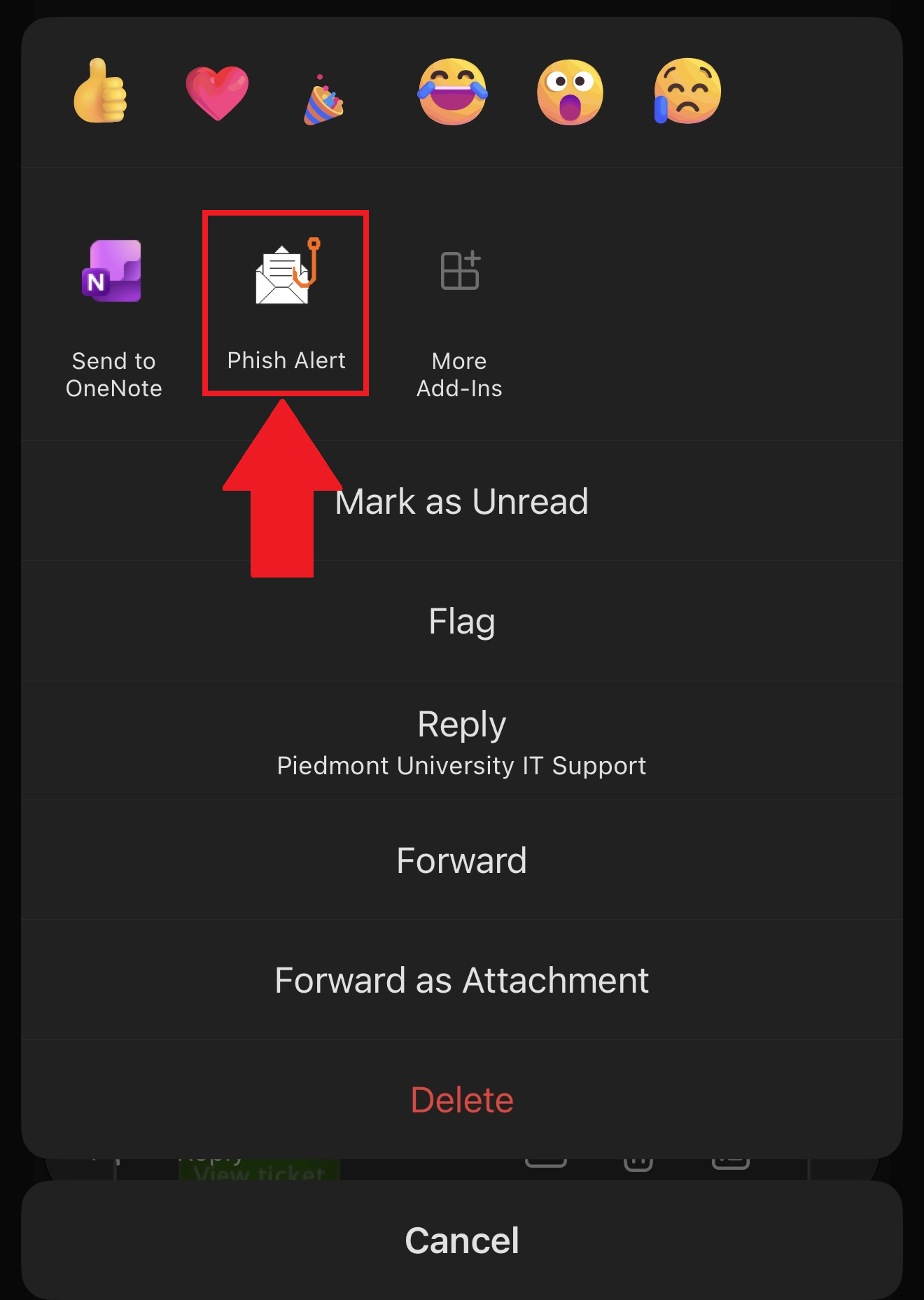
- Select the Phish Alert button to report the email as Phishing! The IT Department will now investigate the email!

Need Help?
If you encounter an error or need assistance with this guide, please contact the IT Department and include a screenshot with a brief description of the issue.
Contact the IT Department Here