How to Print Like a Lion
IMPORTANT NOTE: You cannot access WebPrint from an off-campus location. Your device must be connected to the Piedmont network.
1. Log onto WebPrint
-
Open any browser (Edge, Chrome, Firefox, etc.) and go to: webprint.piedmont.edu
If the webpage does not load, you may need to review your device Wi-Fi settings
Printing is not supported from a mobile device.
On the Login Page
-
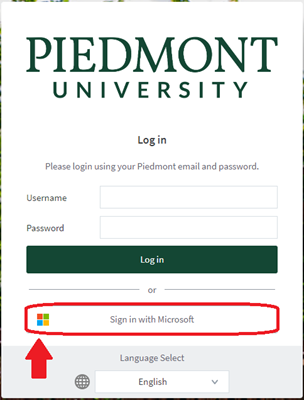
Choose a Login Method:
(Recommended) Click the “Sign in With Microsoft” button to use Single-Sign-On using your Piedmont Email.
-
Enter your full
@lions.piedmont.eduemail address and password
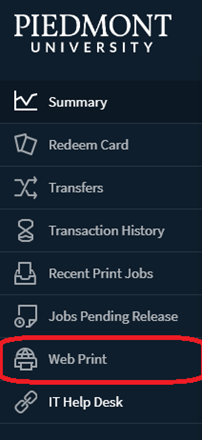
Once you log in, your home screen will be displayed. On the home screen, the left-side navigation panel contains six links. The links are:
Summary: Lists summary statistics for your account
Transfers: Transfer printing funds to another Piedmont student
Transaction History: View a detailed list of all transactions
Recent Print Jobs: View details of all recent print jobs
Jobs Pending Release: View status of print jobs
Web Print: Upload a document into the WebPrint queue
2. Print a Document
- In the Left Column, click the “Web Print” link

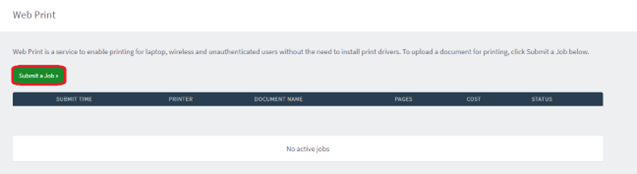
- Click the “Submit a job” button

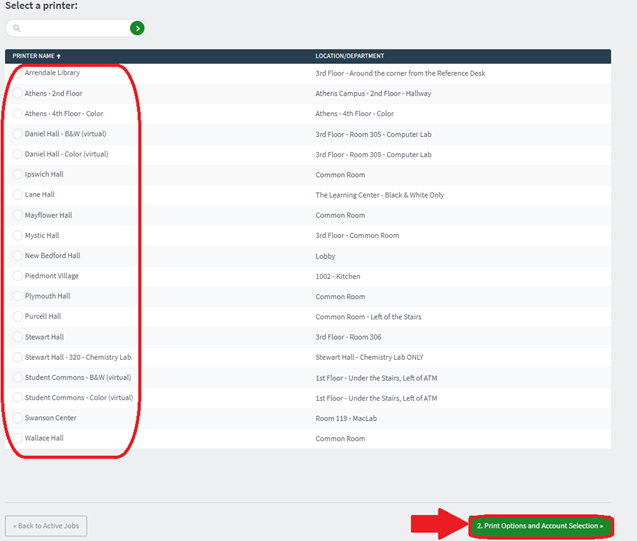
On the “Select a printer” screen:
Each semester, Students receive $25 in printing credit:
B&W = $0.05 per page
Color = $0.25 per page
-
Once you've chosen a printer, click “Print Options and Account Selection”

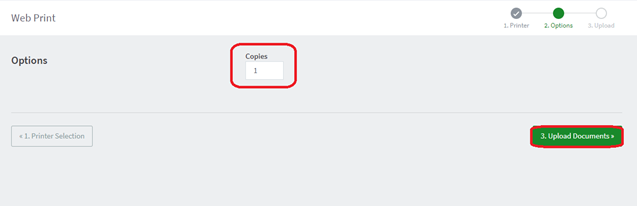
- On the “Options” page
- Select number of copies
- Click “Upload Documents”

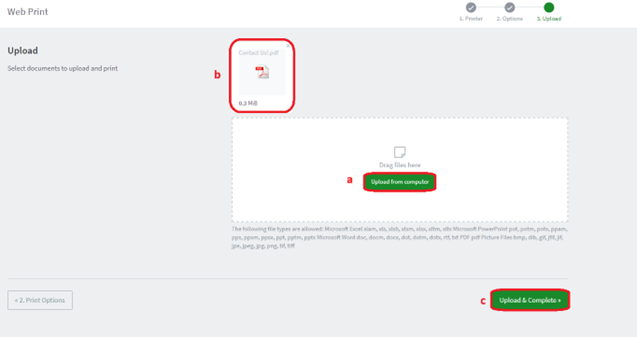
- On the “Upload” page
- Upload a document from your computer
- Once upload is complete, the document icon will display
- Click “Upload & Complete”

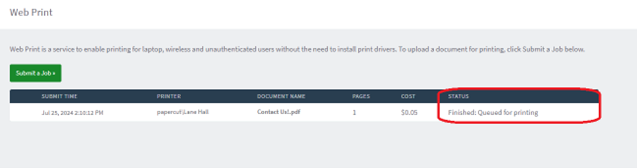
- On the “Web Print” page
- Verify print info is correct: printer location, document name, “Held in a queue”
- Status will change to “Queueing”

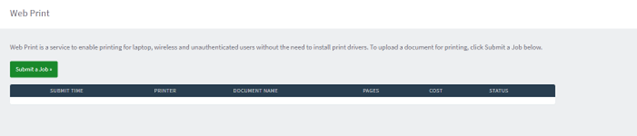
- Once printing is complete, the page will auto-refresh and the print job row will disappear

At this point, you will have successfully printed your document. You may now log out of your WebPrint account.