Exiting Windows S Mode
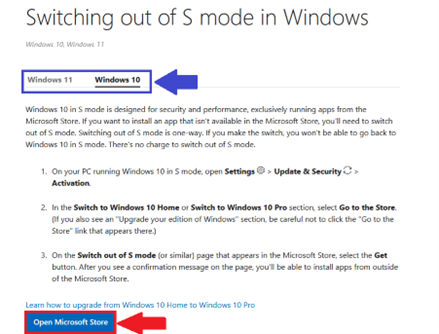
- Open a Web Browser and visit https://support.microsoft.com/en-US/Windows/Experience/Platform-variants/switching-out-of-s-mode-in-windows
- Choose your Operating System (Windows 10/Windows 11)
- Select Open Microsoft Store

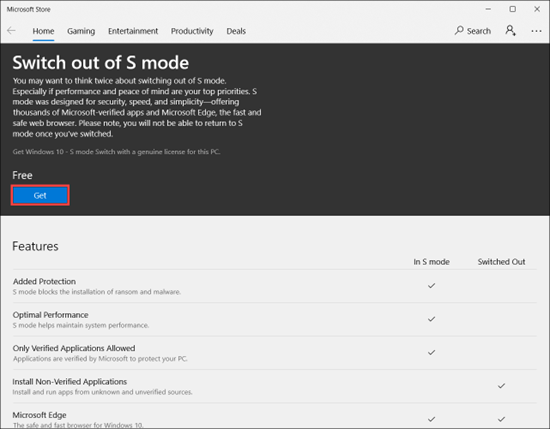
- Select Get to switch out of Windows S mode

Need Help?
If you encounter an error or need assistance with this guide, please contact the IT Department and include a screenshot with a brief description of the issue.
Contact the IT Department Here