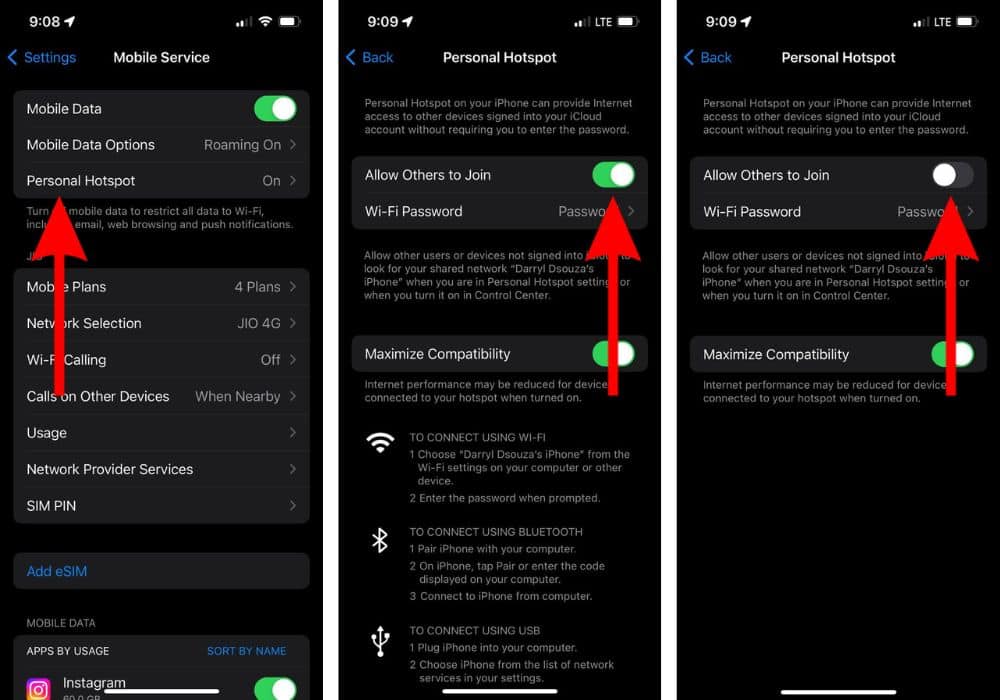
Disable HotSpot
At Piedmont University, we utilize a Wireless Intrusion Prevention System (WIPS) to ensure secure and reliable Wi-Fi connectivity across campus. If you're experiencing connectivity issues, it may be due to personal hotspots or VPNs interfering with our network. Follow these simple steps to disable your hotspot on iOS and Android devices to restore seamless access to campus Wi-Fi.
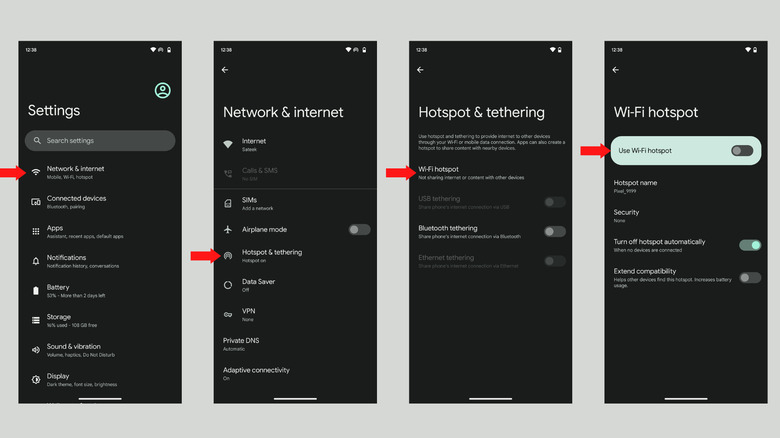
Android Hotspot Settings

- Open Settings
- Tap Connections or Network & Internet (Varies by device)
- Select Mobile Hotspot and Tethering
- Toggle Mobile Hotspot to OFF
iPhone Hotspot Settings

- Open Settings
- Tap Personal Hotspot
- Toggle Allow Others to Join switch to OFF