Desk Power Issues
Due to recurring power fluctuations across campus — particularly overnight or following storms — docking stations may occasionally fail to detect monitors, keyboards, or other peripherals when you return to your desk. This is often caused by brief power surges interrupting the dock's normal function.
Restarting the Docking Station
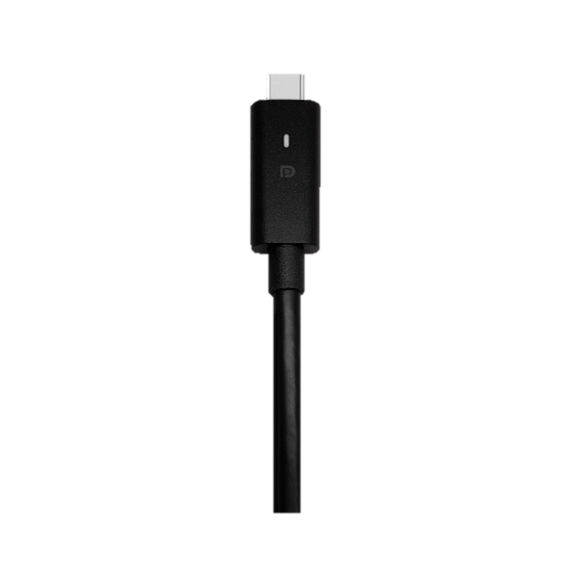
Check the USB-C Cable
- If the LED light on the USB-C cable is not illuminated, the docking station does not receive power.

Restart the Docking Station
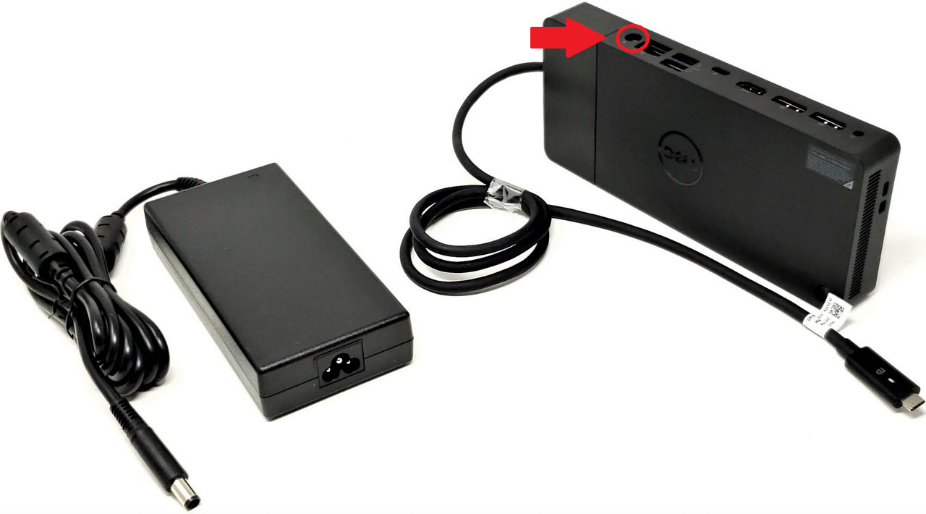
- If the LED light is off, unplug the power cable to your docking station (shown below) and immediately plug it back in.
- Please allow 10 seconds for the docking station to power on.
- Should your monitors and other peripherals continue to experience power issues, please contact the IT Helpdesk!